The reader
built for studying.
Textbooks, lecture PDFs, and workbooks in one library. Highlight as you read, then study those highlights as flashcards — without exporting anything or leaving the app.
Android only
Scan to install on your phone
Studying takes four apps
that don't talk to each other.
The textbook lives one place, the lecture PDFs another, the flashcards somewhere else. You spend the term moving your own notes between them.
The Scattered Syllabus
Textbook in a reader that won't open PDFs. Lecture slides in a PDF app that can't highlight properly. Flashcards in a third app that knows nothing about either. Notes in a fourth.
Four apps. One course.
The Rented Textbook
Create an account. Subscribe. Wait for the sync. Read the book on their terms — then watch access expire at the end of term, and your highlights expire with it.
You never owned it.
The Highlight Graveyard
You mark up three hundred pages across a semester. Come exam week, every one of those highlights is still sitting exactly where you left it, doing nothing — so you retype them into a flashcard app by hand.
Marked, then forgotten.
Read it. Mark it.
Actually remember it.
The whole cycle happens inside one app, on one library. Nothing to export, nothing to sync, nothing to retype.
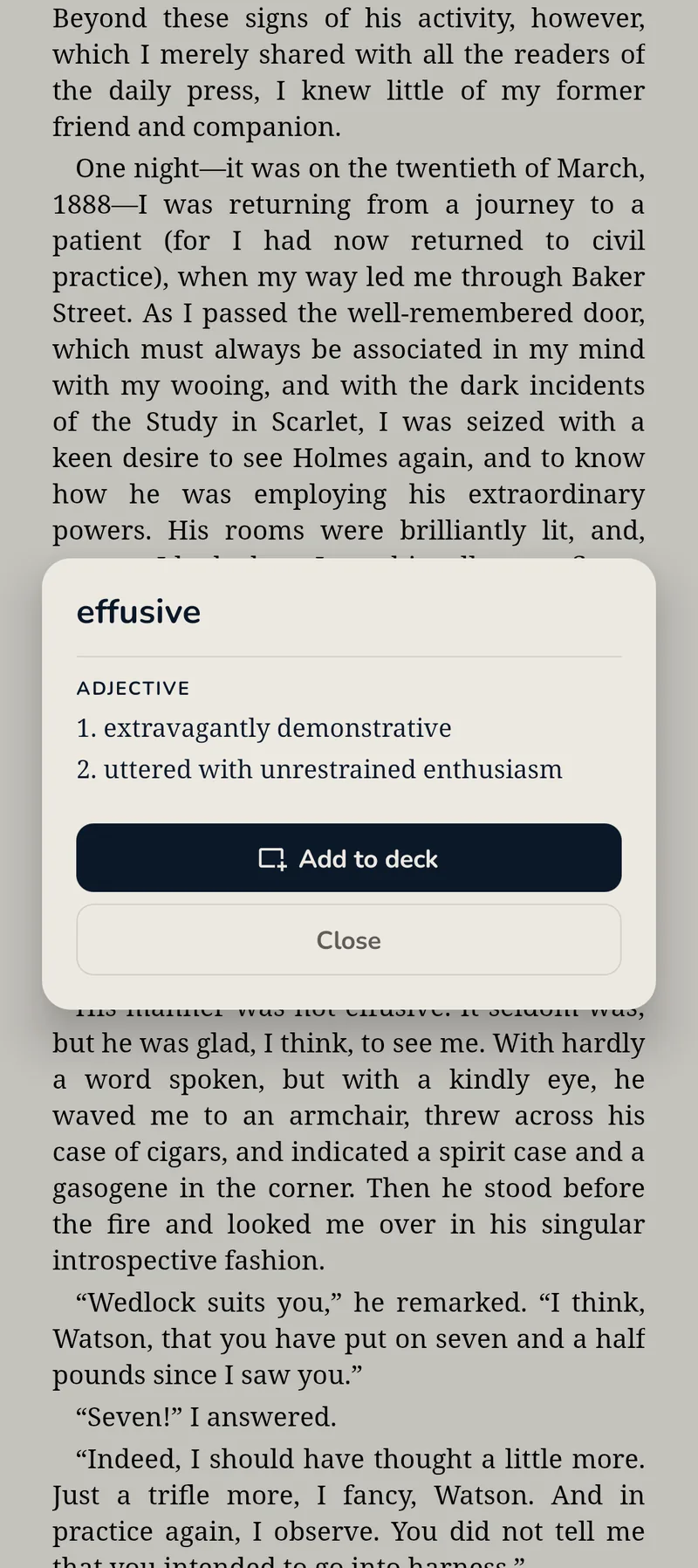
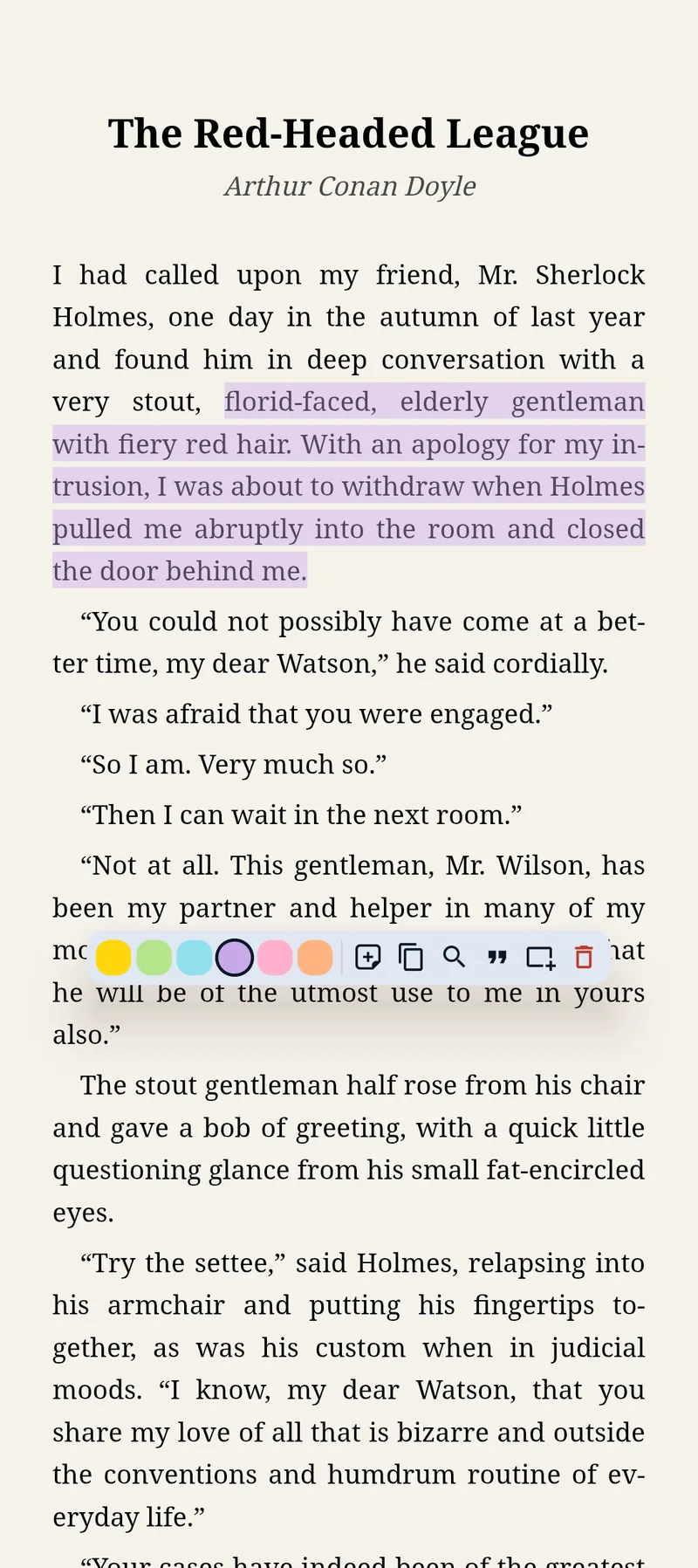
Open anything on the syllabus
EPUB textbooks, lecture PDFs, interactive workbooks — same library, same shelf. Tap a word you don't know and the built-in dictionary answers without closing the page. Short on time? Have the chapter read aloud on the walk to campus.
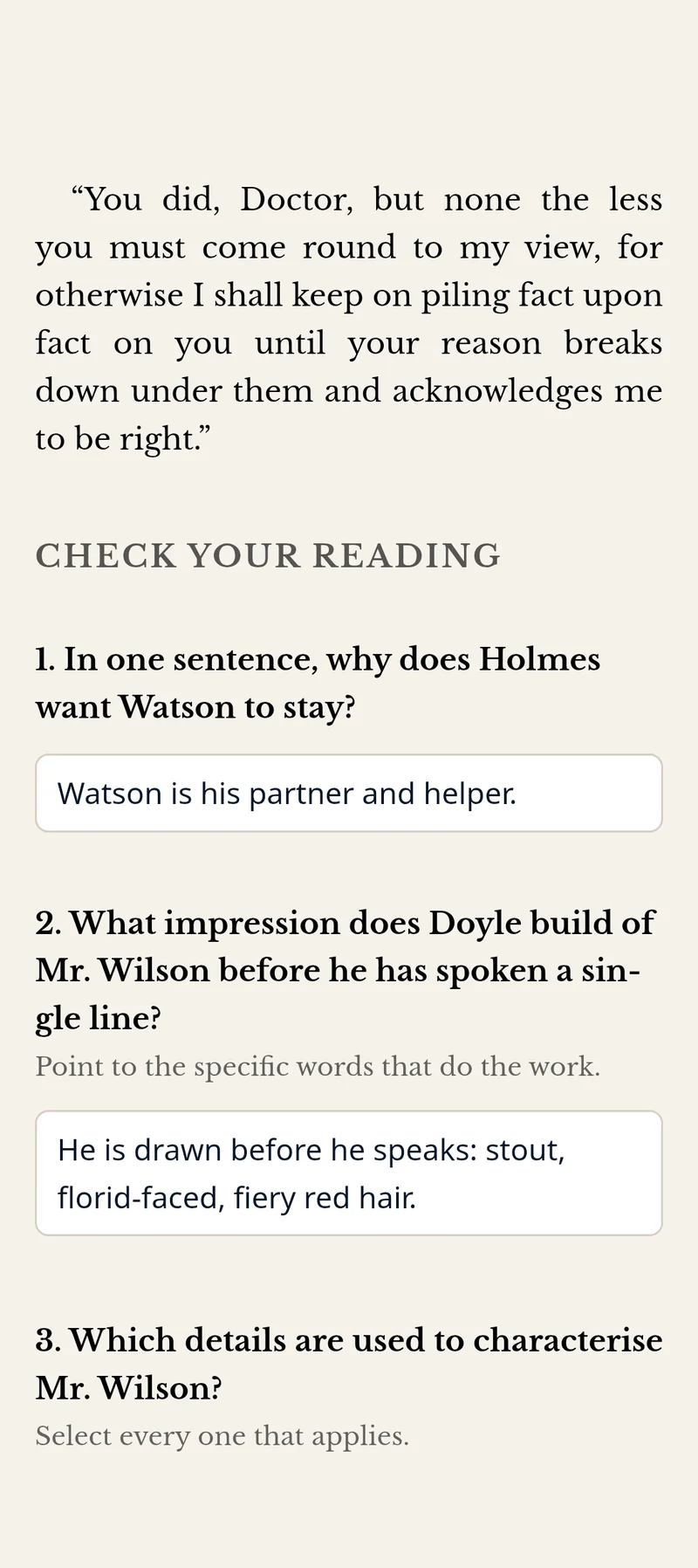
Highlight, annotate, answer
Six highlight colours and typed notes, anchored exactly where you left them. Workbook exercises save your answers by themselves — close the app mid-question and it's still filled in next week.
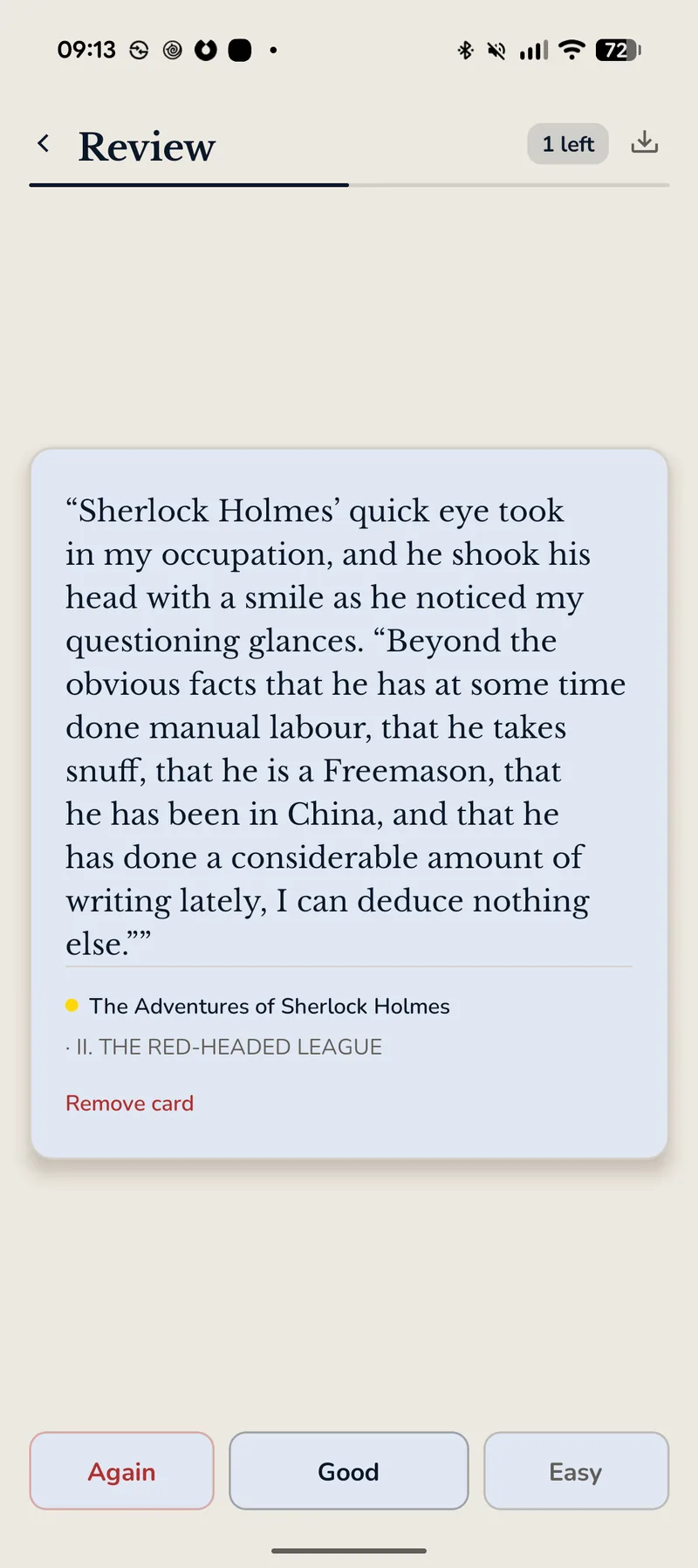
Turn highlights into recall
Everything you marked becomes a spaced-repetition deck on the Review page, ready before you've decided to study. Already have Anki decks? Import the .apkg and drill them in the same app you read in.
One app · No export step · No connection required
Built for studying.
Private by design.
EPUBs and PDFs, Side by Side
Course readers, lecture slides, scanned handouts — one library holds all of it. Diagrams, charts, and interactive exercises render exactly how the author made them. Nothing missing, nothing broken.
A Shelf of Free Books, Built In
Browse Project Gutenberg, Standard Ebooks and other open catalogs without leaving the app, and download straight into your library. Add any catalog you trust. What you download is encrypted on arrival, like every other book.
Highlights & Notes
Six highlight colors, named however you like — call yellow "Definition" if that's what it means. Typed notes anchored to any highlight, with Markdown if you want it, all stored alongside your book. No account or cloud needed to keep them.
Tag What You Keep
Label a highlight with why it mattered, then filter, group or search by that tag. Exports carry them through: #hashtags in Markdown for Obsidian and Notion, a Tags column in Anki.
Every Highlight, One List
Every highlight, note and workbook answer from every book in a single searchable list, grouped by book. Tap one and the book opens at that exact spot. Locked collections stay counted, not hidden.
Flashcards From Your Highlights
A spaced-repetition deck built out of what you already marked, on a Review page of its own. Bring your existing Anki decks in too — .apkg and .txt both import.
Workbooks Remember Your Answers
Fill in exercises and they save by themselves. Close the app, come back next week — every answer's still there. Even survives a crash or a dead battery.
Any Book, Read Aloud
Text-to-speech narration with lock-screen controls, so a chapter fits into a commute. Attach your own audio per chapter when you'd rather hear the lecture than the robot.
Dictionary On the Page
Tap an unfamiliar word for a definition without losing your place. Full-book search finds every other time it appeared, and CJK texts get pinyin generated automatically.
Your Books Stay Private
Every book is locked the moment you add it — unreadable to other apps or anyone scrolling through your phone. It's on automatically; there's nothing to set up. (AES-256 encryption.)
Lock Private Books
Hide personal books behind a PIN. Get it wrong three times and the folder erases itself — for good. Only you get in, and there's no backdoor.
Screenshot Protection
OS screenshot API blocked inside locked folders. Content won't appear in the recent apps switcher. What's in the folder, stays in the folder.
The textbook and
the handout. Together.
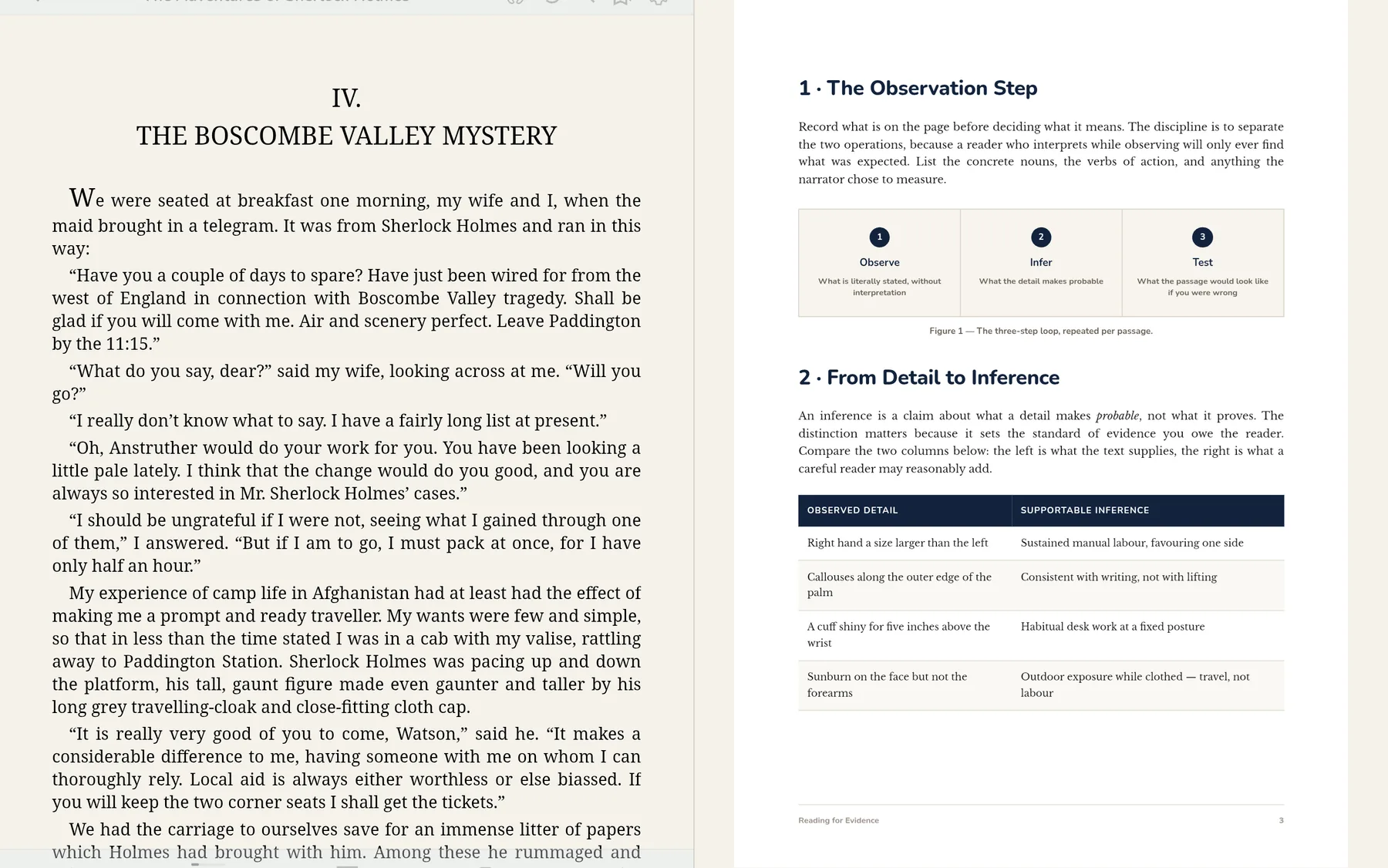
On a bigger screen the layout opens up instead of stretching. Put the set text beside the lecture PDF, or swing your notes out next to the page — same library, same highlights, same review deck as the phone.
Your books are private.
Automatically.
The moment you add a book, it's locked. No file browser, backup app, or person holding your phone can open it — and you didn't have to turn anything on.
File browser · storage/Books/
File browser · storage/Books/
Encrypted on import · Keys stored locally · Decryption in memory only
Some books are
nobody's business.
Medical references. Recovery workbooks. Personal journals. Lock them in a folder behind a PIN — they disappear from your main library, and only your PIN brings them back. Nobody else can open them.
Built for people with
something to learn.
Textbooks · Lecture PDFs · Flashcards
The whole reading list in one library — set texts, PDF handouts, and workbooks that remember what you typed. Highlight through the term, then review those highlights as a spaced-repetition deck when exams arrive. No subscription that expires in June.
→ Read, mark and revise in one app15 languages · Dictionary · Pinyin
Tap any word for a definition without leaving the sentence. Chinese texts get pinyin generated automatically, embedded fonts cover Arabic, Amharic, Burmese and Khmer, and the interface itself speaks fifteen languages.
→ See every supported languageMedical · Recovery · Personal
Some reading is nobody's business. Medical references, recovery workbooks, devotional texts. Lock them in a PIN-protected folder — three wrong guesses and the folder self-destructs, keys destroyed.
→ How your library stays private15 languages. Zero accounts.
Full UI in English, Spanish, Portuguese, Hindi, Indonesian, French, German, Japanese, Arabic, Chinese, Khmer, Burmese, Amharic, Russian, and Korean. Works entirely offline. No sign-up ever required.
EN
ES
PT
HI
ID
FR
DE
JA
AR
中文
KM
MY
AM
RU
KO
The only reader that
doesn't compromise.
Most readers make you pick two: study tools, privacy, or price. GemReader doesn't.
← Scroll to compare →
| Feature | GemReader | Moon+ | Lithium | ReadEra | Kindle |
|---|---|---|---|---|---|
EPUBs and PDFs in one app Same library, same highlights, same notes | |||||
Textbooks display correctly Diagrams, layouts & interactive exercises | |||||
Workbooks save your answers Exercises saved automatically per book | |||||
Highlights become flashcards Built-in spaced repetition + Anki import | |||||
Reads your books aloud Text-to-speech with lock-screen controls | |||||
Built-in dictionary Look a word up without leaving the page | |||||
Free books built in Gutenberg & Standard Ebooks, no browser | |||||
Works fully offline No connection ever needed | |||||
No account required Open a book without signing up | |||||
Books locked & kept private Every book locked the moment you add it | |||||
PIN-locked secret folders Self-destructs after 3 wrong guesses | |||||
Truly free, no paid tier No Pro upsell, no premium gate | |||||
No ads Never, not even in the free tier | |||||
No telemetry of any kind No analytics, crash reporting or ad SDKs |
Based on publicly documented features · July 2026
Rather not take a table's word for it? Drop your own textbook into the Book Checkerand see exactly what will and won't work — before you install anything.
Check your bookBetter studying,
one clear guide at a time.
Practical notes on reading EPUBs and PDFs on Android, study workbooks, privacy, and choosing tools that respect your library.
Features & Study
The Art of the Aside: Inline Footnotes, Tactile Citations, and Preserving the Reading Flow
Explore GemReader's overhauled footnote infrastructure. Learn how dual-engine inline popup cards, one-tap haptic copy, graphic quote card sharing, and BiDi typography preserve your cognitive flow during deep reading.
Read guideFeatures & Study
Elevating the Margins: Structured Markdown and the Art of Digital Marginalia
Transform raw annotations into structured marginalia with full Markdown support. Format headings, lists, blockquotes, and links across text highlights, image notes, and the Gems Library.
Read guidePrivacy & Control
Defense in Depth: Inside GemReader’s Multi-Layered PIN and Window Security
An engineering analysis of how GemReader bypasses system keyboards with custom touch primitives, coordinates reference-counted FLAG_SECURE window masking, and unwraps AES-GCM vault keys.
Read guideBefore you
download.
Yes. Free forever — no ads, no paid tier, no premium gate. There's nothing to unlock and nothing to subscribe to.
No. There's no sign-up, and reading, highlighting and reviewing all work with the phone in airplane mode. The app only uses the network when you explicitly ask it to — browsing the built-in book catalog, downloading a book from a Gem List, or opening the in-app browser. It has no analytics, no crash reporting and no ad SDKs, so nothing about your reading is ever sent anywhere.
Project Gutenberg, Standard Ebooks and Wolne Lektury — three long-standing libraries of books that are out of copyright. Search them from inside the app and a book downloads straight into your library, encrypted on arrival like anything else you import. You can add any other HTTPS catalog you trust. Your device talks to those sites directly: they see the request, we never do, and nothing about you or your library goes with it.
EPUB and PDF, plus MOBI, AZW, AZW3 and CBZ comic archives. Textbooks, lecture slides, scanned handouts and interactive workbooks all live in the same library. Diagrams, layouts and exercises display the way the author made them, and your workbook answers save automatically.
Yes. Everything you highlight can be studied as a spaced-repetition deck on the built-in Review page — no exporting, no second app. If you already use Anki, you can import your existing decks (.apkg or .txt) and drill them alongside your own highlights.
Yes. Text-to-speech narration works on any book, with playback controls on your lock screen. You can also attach your own audio to a chapter — a recorded lecture, for instance — and listen to that instead.
Android 10 or higher — phones and tablets going back to 2019. Install it from Google Play or download the APK directly from this site — it's the same app either way. Phones on Android 7, 8 and 9 keep the last version that supported them, and it goes on working; they simply stop receiving updates.
Your books are stored, locked, inside the app — safe from other apps, but they're removed if you uninstall GemReader. Before uninstalling, send your books out with the Share button, or keep your original files somewhere safe.
Your whole syllabus.
One reader.
Free for Android. No sign-up, no cloud, no setup. Import a textbook or a PDF and start marking it up in seconds — encrypted by default.
Android 10+ · EPUB & PDF · Free forever